Counts what is there
Every component, by type, by solution and by domain. Including a low-code ratio with its definition attached, because the number gets quoted without it.
Power Platform
It reads a Power Platform estate, tells you what is technical debt and what it would cost to fix, and names every check it could not run. It never writes to the environment.

What it does
Nobody opens an assessment tool wanting a tool. They want to know what they have, what is wrong with it, and what fixing it costs.
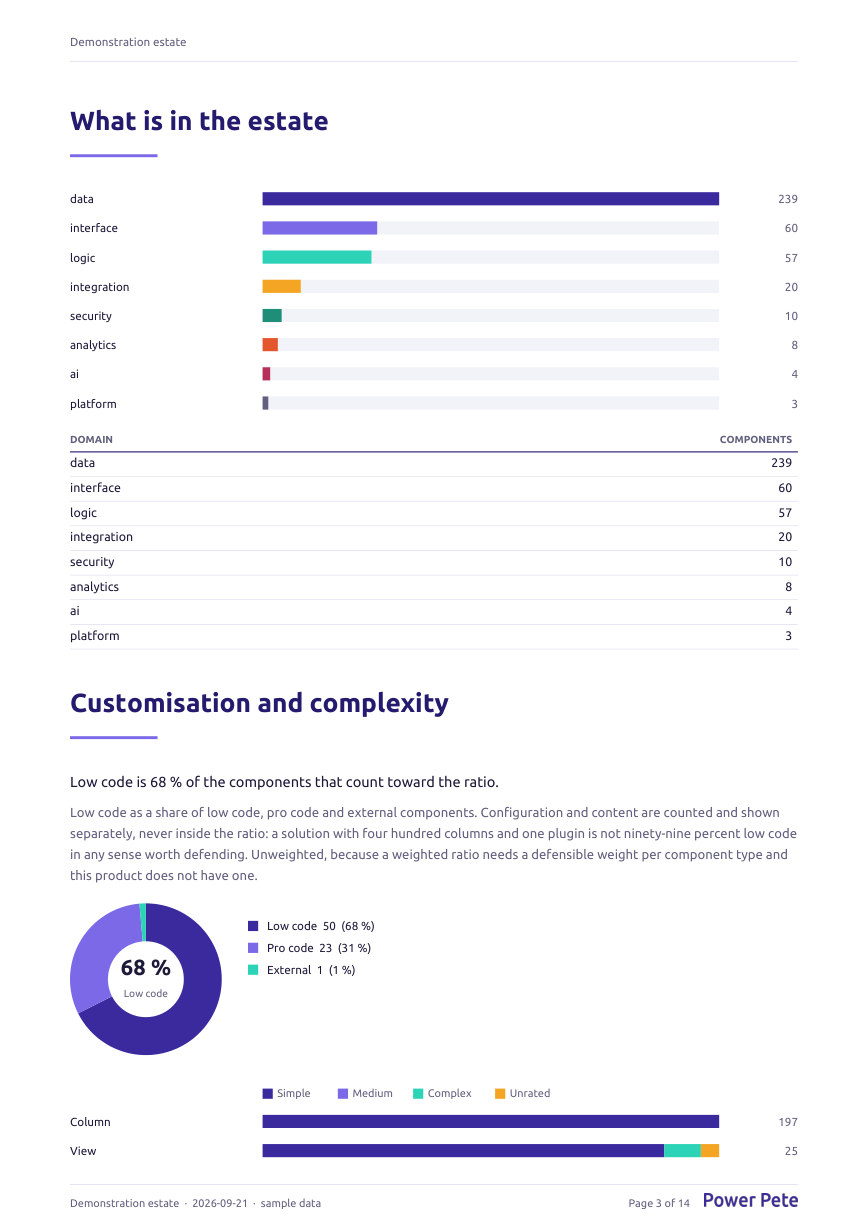
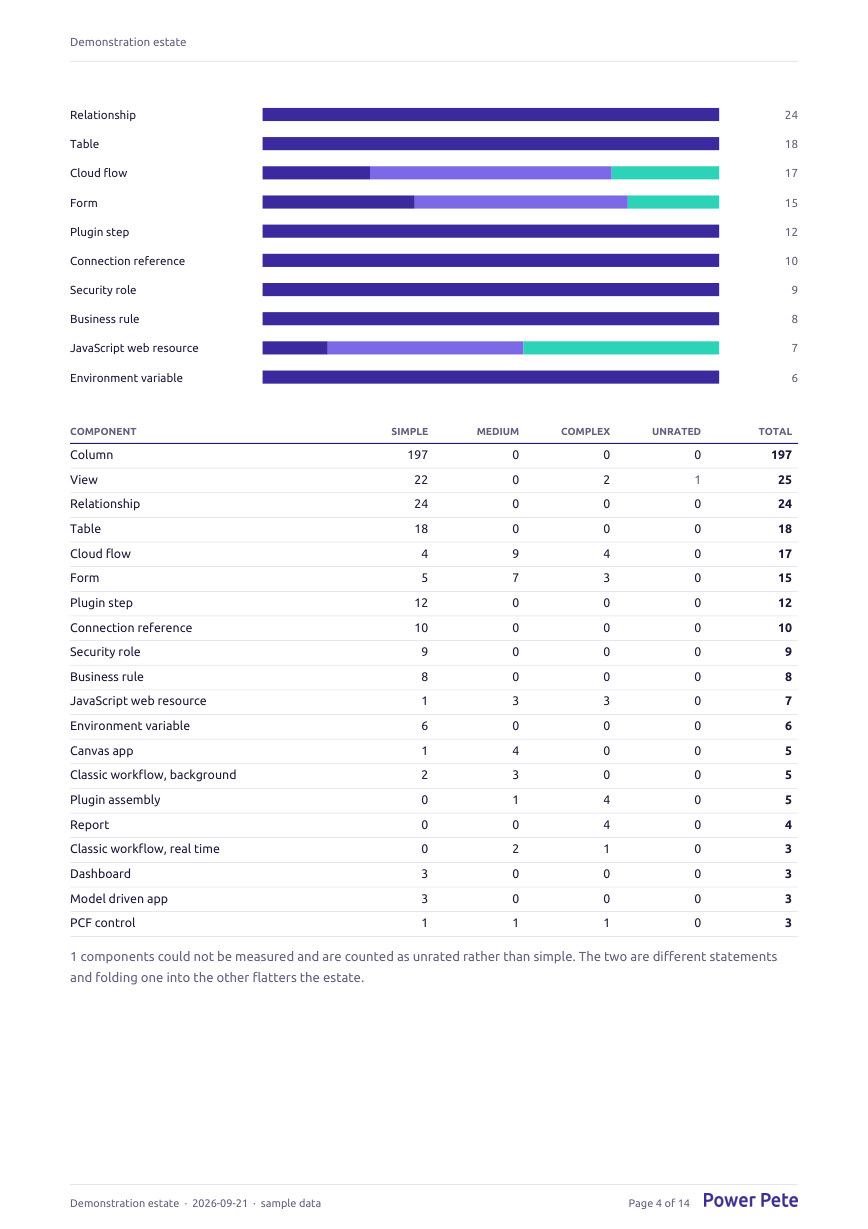
Every component, by type, by solution and by domain. Including a low-code ratio with its definition attached, because the number gets quoted without it.
What Microsoft has removed or deprecated, what was built badly regardless of how it was built, and what nobody would find out about when it breaks. Each one with the evidence that triggered it.
A range of hours per finding with a rationale, grouped into a backlog somebody would actually groom, adding up to a total whose arithmetic you can check in the room.
Ways in
These are generated from the same contract the product runs on, so this page cannot promise a reach the product does not have.
An Entra app registration added to the environment with a read-only role. The mode for anything repeatable. The role definition ships with the product, so a security team reviews a file rather than a description.
You, signed in, reading what you can already read. Nothing to create and nothing to approve, which makes it the fastest way to see something real. Not repeatable: a scheduled run cannot borrow your session.
An exported unmanaged solution, read offline. No connection, no credential, no security review. This is the mode that gets past a review in week one while the service principal request sits in a queue.
What a mode cannot reach decides which checks can run at all. Every check that could not run is named in the report, with the reason, and is never reported as passing.
Honesty
Every check declares the evidence it needs. When the way you connected cannot reach that evidence, the check is reported as not assessed, by name, with the reason. It is never reported as passing and never counted as zero findings.
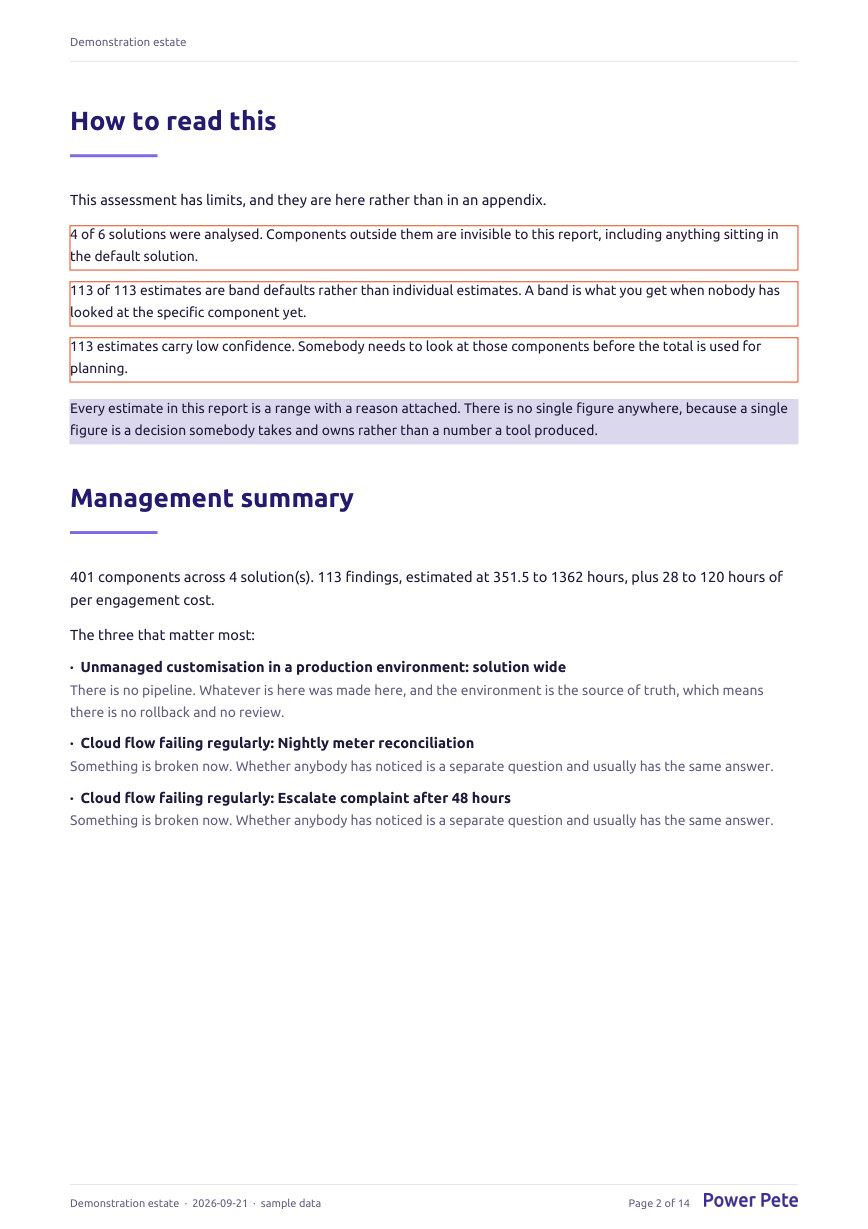
Telling a client they have no technical debt, when the truth is that nobody could read their environment, is the most damaging thing an assessment can do. So the report carries the list of what it could not check, near the front, where it has to be read.
Safety
Not in any mode, and there is no setting that changes that. A discovery can be run in a first conversation without a change advisory board, which is what makes it usable before anybody has bought anything.
The only thing it writes anywhere is work items into Azure DevOps, Jira or GitHub, and only the ones somebody chose. What it created, where, and when is recorded against the run that did it.
No mode writes to a Power Platform environment. The least-privilege role definition is a file a client's security team can read before granting anything.
Secrets live in Key Vault and are referenced by name. A connection row is therefore safe to read, log and export, which matters because eventually it will be.
Only the items somebody picked on the backlog screen are written, and a dry run shows exactly what would land without writing anything. Every item carries a deterministic key, so publishing twice updates what is there instead of creating a second copy.
Access is per engagement and enforced in the query rather than the screen, so a page that forgets to filter still cannot show one client's estate to another.
Output
Three things, each for a different person in the room, all produced from the stored results of one run rather than from today's rules.
An Excel file with the findings, the inventory, the not-assessed list and the backlog, one sheet each. Deliberately plain, with filters on every header, so an architect can sort and pivot it rather than admire it.
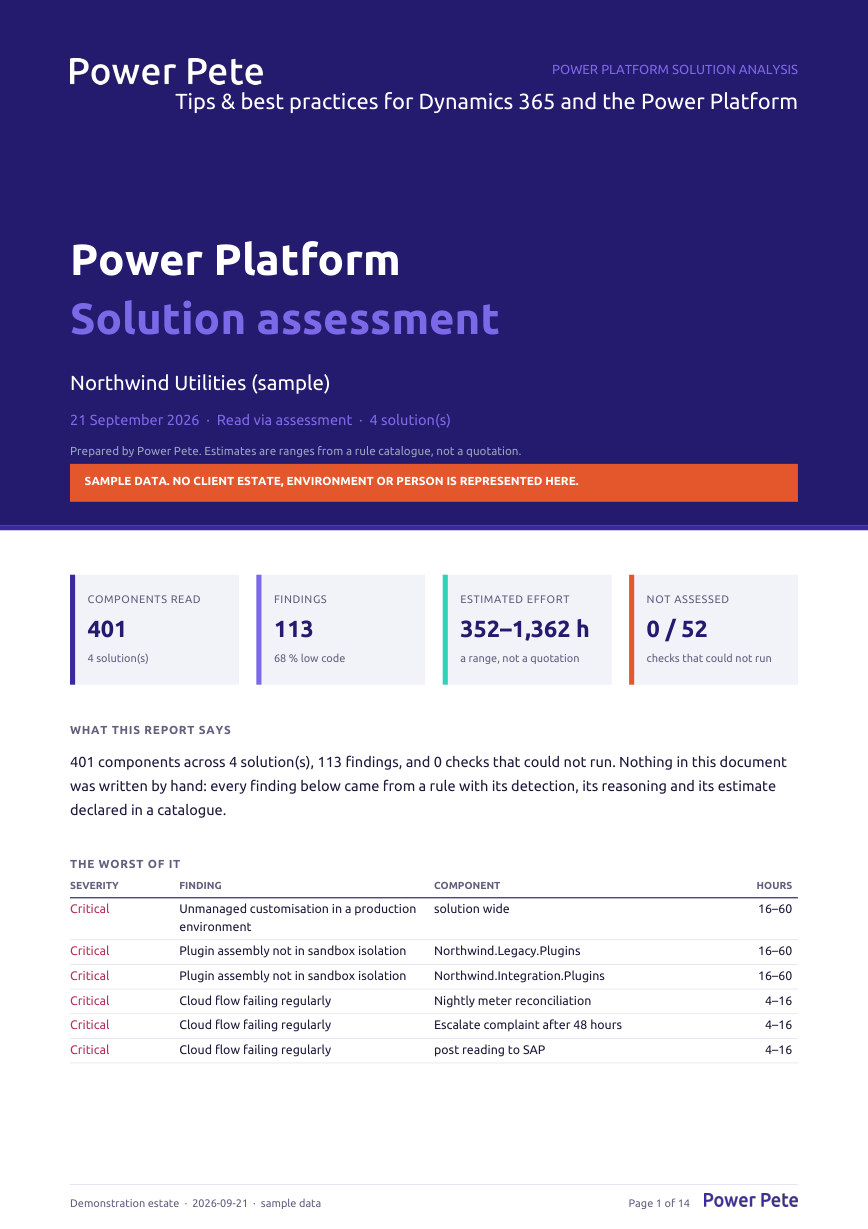
A PDF for the person who will not open the workbook. What was read, what was not read, what was found, what it would cost, and where the work sits on a roadmap.
An epic per category, a feature per rule that needs one, a story per finding worth naming, and the trivia batched. With acceptance criteria, and optionally written straight into Azure DevOps, Jira or GitHub.
The product
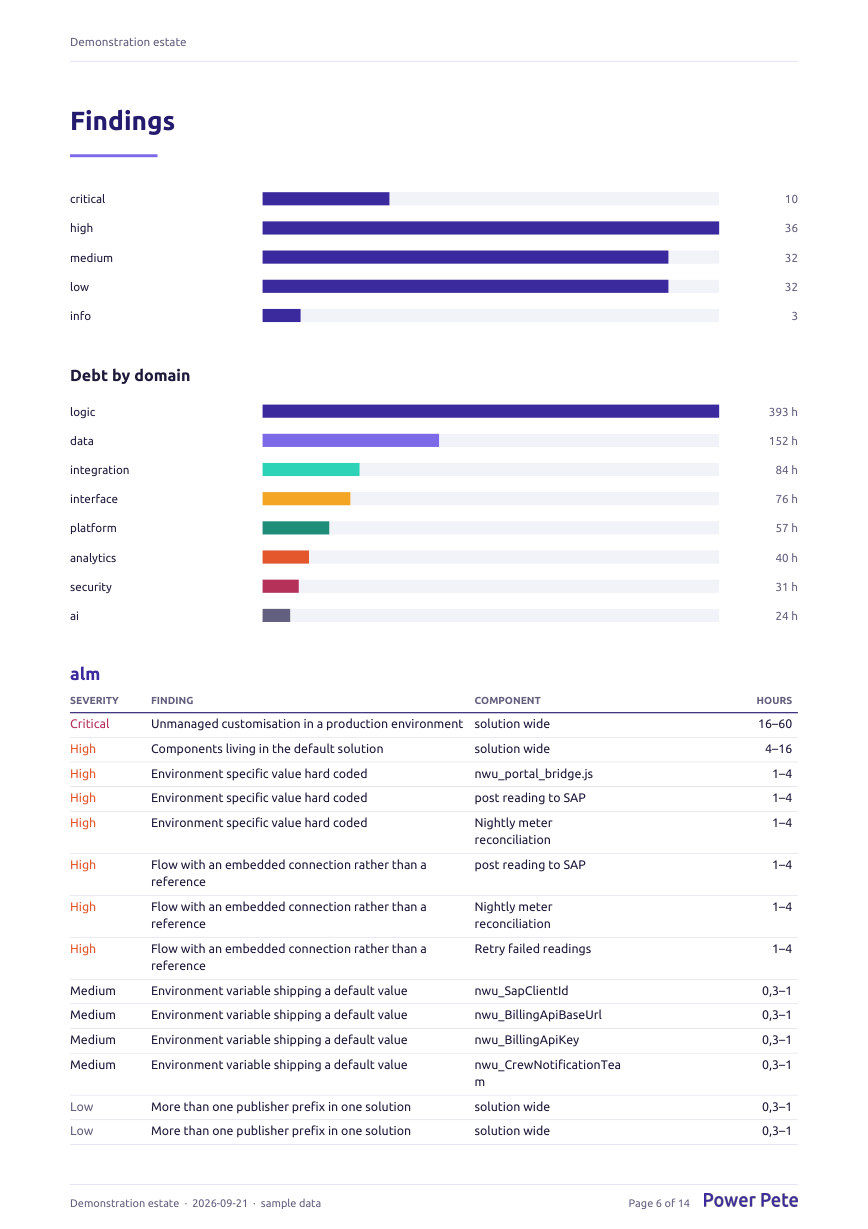
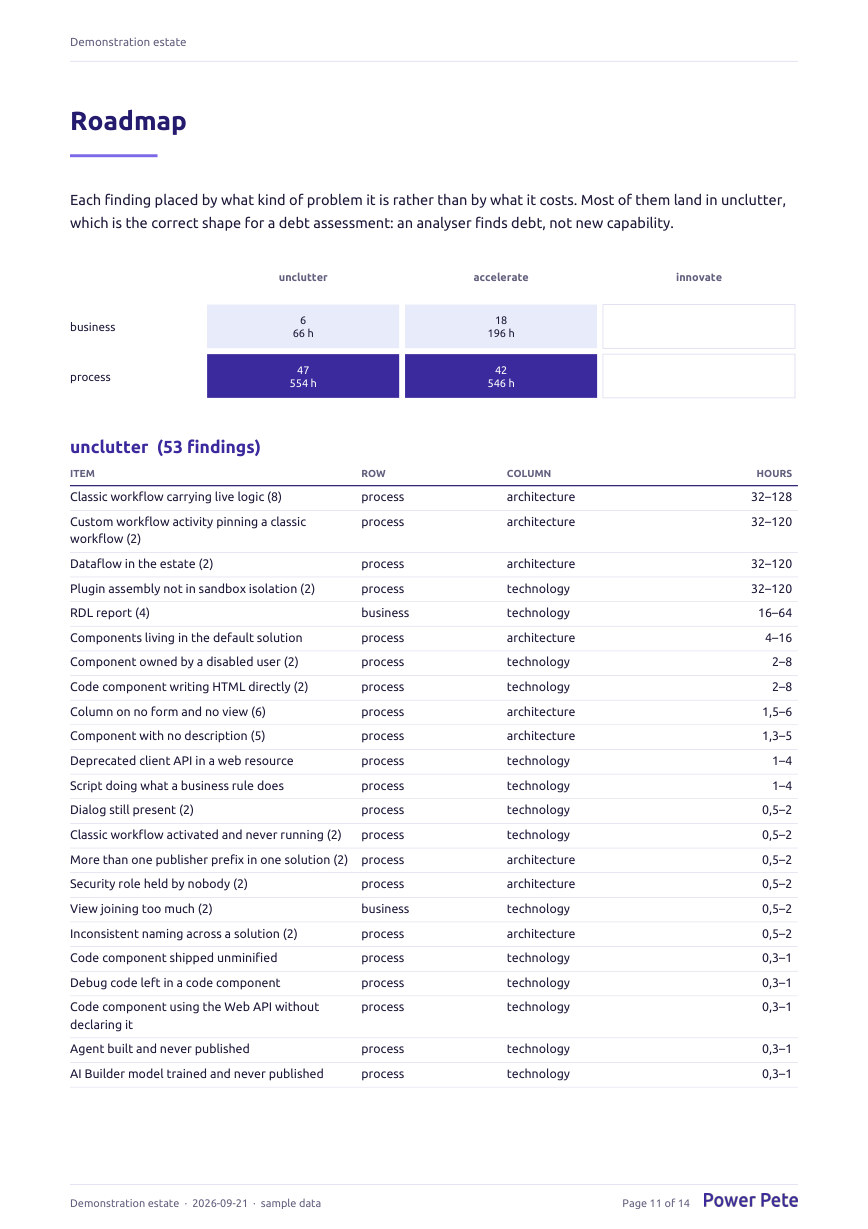
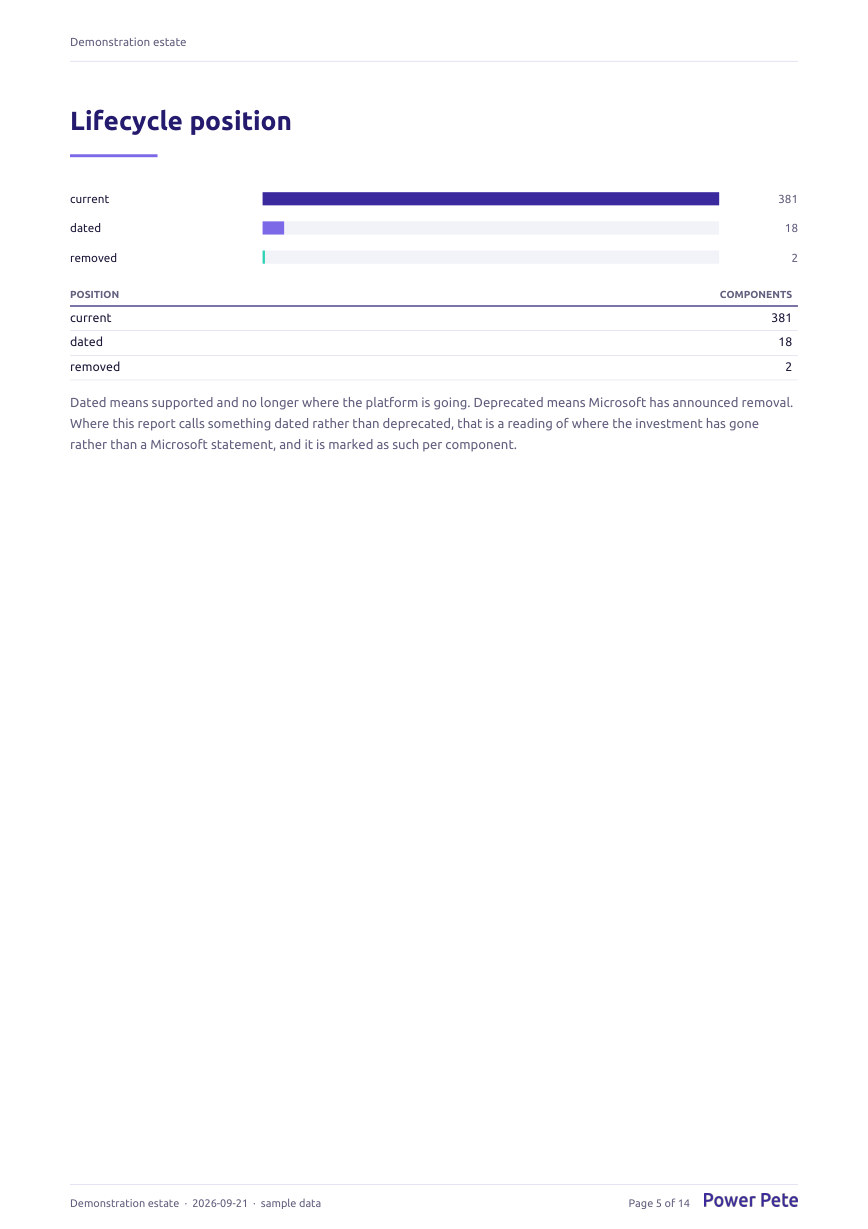
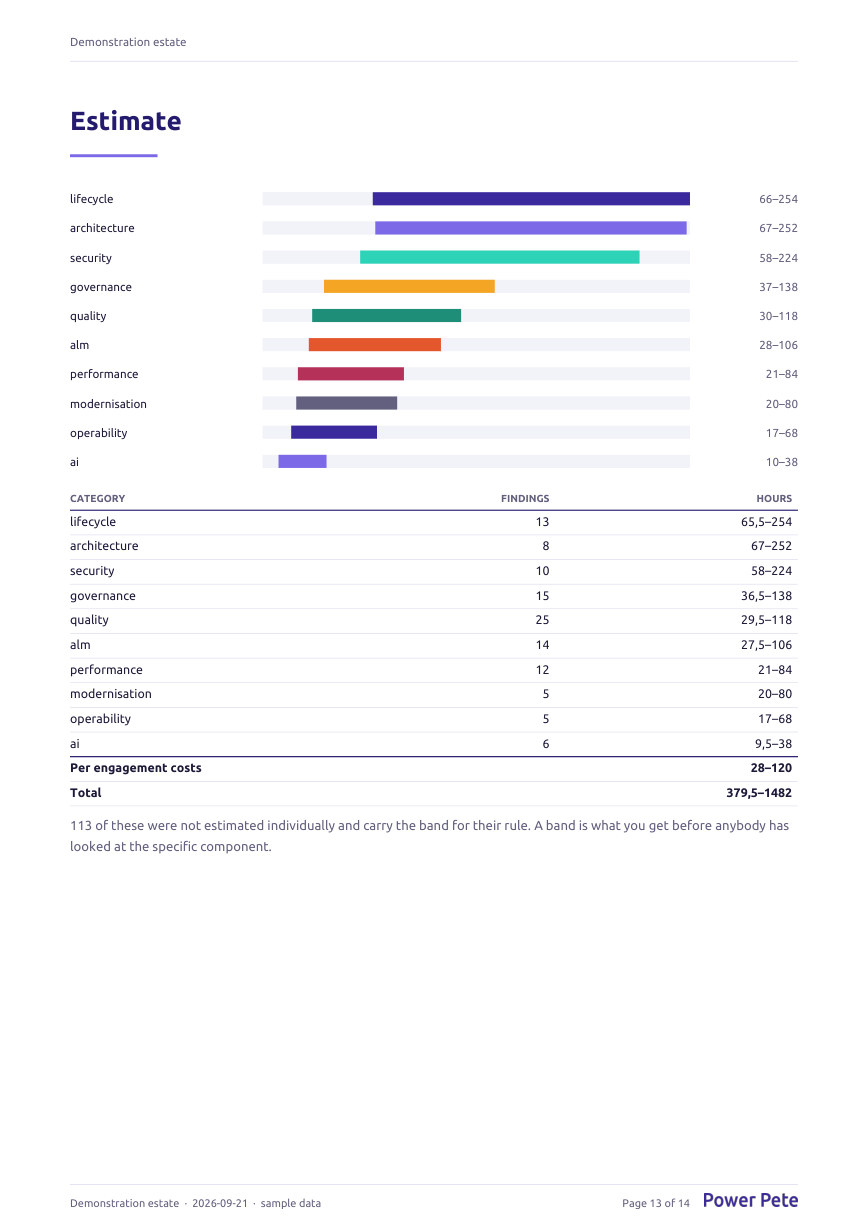
Screenshots of the product running against the demonstration estate. Nothing here is a mock-up.


The report
Produced by the product from the demonstration estate, not drawn for this page. Open it and the numbers are the ones the rules found.
What it checks
Adding a check updates this page. That is on purpose: a marketing page that claims more than the product does is one somebody eventually reads out loud in a meeting.
How well the thing that exists was built. Error handling, size, naming, structure, and whether a flow that fails does anything about it.
8 checks
Workstreams, queues and capacity. Whether a conversation that arrives reaches somebody who can take it -- read only where Contact Center is installed.
8 checks
Things that are slow now or will be at volume. A synchronous plug-in taking two seconds is what a user means when they say the form hangs.
7 checks
Whether this can be moved between environments without somebody remembering something. Hard-coded endpoints, unmanaged customisation in production, components stranded in the default solution.
7 checks
Agents, prompts and models. Whether what the estate has built on AI is grounded in something, current, and owned by somebody.
7 checks
Ownership, sprawl, orphaned components and premium connector exposure. Including the flows whose owner has left.
6 checks
Components Microsoft has removed, deprecated or stopped investing in. A dialog still sitting in a solution says more about an estate than any other single component in it.
4 checks
Whether logic sits where logic should sit. Five different mechanisms firing on one table is a finding even when every one of them works.
4 checks
Privilege, secrets in definitions and organisation-level write. Not a penetration test, and it does not pretend to be one.
4 checks
Whether anybody would find out when it breaks. An estate with no failure alerting anywhere is one where the first report of an outage comes from a customer.
3 checks
Something that works and has a better answer now. The category a client most wants and the one most easily oversold, so every check here carries a reason to leave the thing alone as well.
2 checks
Some of these come from Microsoft's own Power Apps checker, folded in under Microsoft's rule identifiers so a consultant can look them up. The rest are the ones the checker does not have: lifecycle position, debt spread across components, sprawl and solution hygiene.
Languages
English, Dutch, German, French, Spanish and Italian, throughout: the screens, the rule explanations, the findings, the report and the backlog. The language you read the product in, the language the report comes out in and the language the backlog is written in are three settings, because a Dutch consultant writing an English report for a client's group IT and a Spanish backlog for the delivery team is the normal case rather than an edge one.
Limits
A page that only claims is a brochure. These are the questions to take somewhere else.
It reports where a premium connector is used and stops there. It cannot see what the tenant holds, and guessing would be worse than silence.
The security checks are about privilege, secrets in definitions and organisation-level write. They are not an assessment of whether the estate can be broken into.
There is no remediation mode and no plan to add one. Everything it produces is a recommendation, a report or a work item for somebody who will do the work themselves.
Sign in with your Microsoft account. A demonstration estate is waiting, with findings the product produced itself, so there is something to look at before a client has given you anything.